
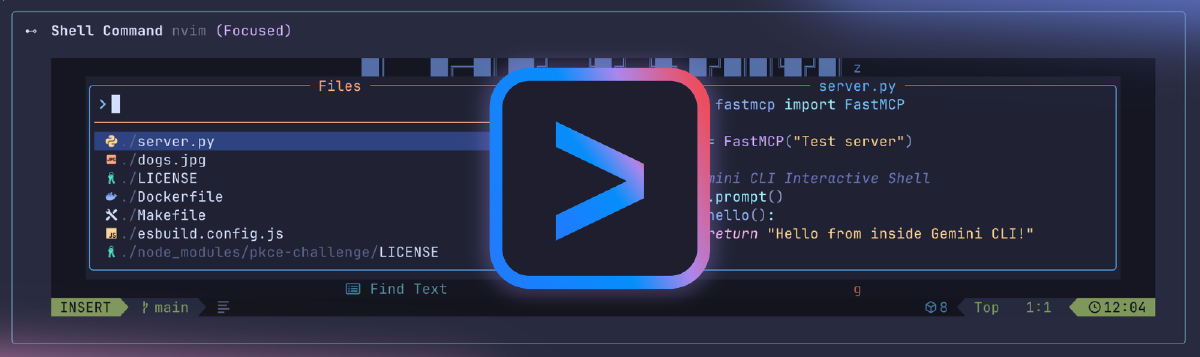

Google just updated Gemini CLI to support interactive commands directly within the assistant environment. You can now run vim to edit files, top to monitor system performance, or execute an interactive git rebase -i without switching to a separate terminal. The update uses pseudo-terminal (PTY) support to maintain full session context inside Gemini CLI.
Interactive commands running seamlessly within Gemini CLI
The technical implementation involves spawning processes within a PTY using the node-pty library. A serializer captures terminal state snapshots—text, colors, cursor position—and streams them in real-time. Two-way interaction works as expected: user inputs reach the running process, and the terminal adapts to window resizing like a native environment.
Why This Matters#
The pitch is straightforward: eliminate context switching. Previously, running an interactive command meant leaving the AI assistant, opening a different terminal, executing the command, then returning. That breaks workflow continuity and forces you to mentally reconstruct what you were doing.
By keeping everything in one place, Google argues developers can maintain focus and reduce friction. The AI assistant sees the full session history, understands what you’re working on, and can provide more relevant suggestions based on that context.
The Context Switching Question#
But is context switching the real problem? Developers already have terminals open. Switching to one isn’t cognitively expensive—it’s muscle memory. Command-Tab or Alt-Tab takes milliseconds. The friction isn’t the switch itself; it’s when you lose track of what you were doing or why.
What Gemini CLI is really betting on is that contextual continuity matters more than we realize. If the AI assistant retains awareness of every command you run, every file you edit, and every error you encounter, it can offer smarter guidance. That only works if the entire session happens within its view.
The challenge: this assumes people want their AI assistant involved in everything. Sometimes you just want to run a command without the AI interpreting it, suggesting next steps, or adding overhead. There’s value in separation—not everything needs to be part of an assisted workflow.
What This Really Means#
This update reflects a broader trend: developer tools trying to become singular environments where everything happens. IDEs already do this—built-in terminals, debuggers, version control. AI coding assistants are moving in the same direction.
The question isn’t whether it’s technically impressive. It is. The question is whether consolidating everything into one context actually improves productivity, or just creates a new dependency where you’re locked into one tool’s ecosystem for every task.
For developers who already work heavily within Gemini CLI, this is useful. For those who use it occasionally, it’s solving a problem that might not exist. The real test will be whether people adopt this workflow or continue reaching for their standalone terminal out of habit.
Learn more: Read the full technical breakdown on Google’s Developers Blog.